
610-459-9646
sales@sciotex.com
ENGINEERING GUIDE
Industrial Software Modernization: Upgrading Legacy Machine, Test and Control Software
How to tell when legacy industrial software needs attention, how to modernize undocumented and obsolete systems, and how to cut over without stopping production.
Last updated October 2026 · Written by Sciotex Engineering
DEFINITION
What is industrial software modernization?
Industrial software modernization brings aging software that runs machines, test stations, laboratory instruments and control systems up to date. It makes the software readable, supportable and compatible with current computers, operating systems and hardware, while preserving the behavior production depends on.
It differs from IT modernization. Enterprise modernization usually means moving business applications to the cloud. Industrial modernization deals with software tied to physical equipment: it reads sensors, moves motors, runs test sequences and controls processes, often in real time, and a mistake can stop a line or ruin a batch.
This guide covers the PC-based systems most plants and labs depend on, such as LabVIEW applications, custom C#, C++ and Python programs, and SCADA and HMI software, as well as PLC and DCS-based control systems. Sciotex has developed and supported industrial software since 1997 and often modernizes systems that arrive with no documentation at all.
WARNING SIGNS
Signs your industrial software needs modernizing
Legacy industrial software rarely fails all at once. It decays: each workaround makes the next change harder, until the system is too risky to touch.
If any of these sound familiar, the system is already costing more than it appears to:
Undocumented code
No drawings, comments or source history, and nobody fully understands how it works.
Obsolete PCs and operating systems
Unsupported Windows versions, aging industrial PCs and no replacement on the shelf.
Discontinued hardware
DAQ cards, motion controllers, PLCs or cameras that are no longer made.
Rising defects
Each fix introduces new problems, and the defect list keeps growing.
One person who knows it
A single engineer, sometimes a retired one, holds the only working knowledge.
New features are impossible
Adding a product, test or report takes months, or can't be done at all.
SCOPE
What industrial software modernization covers
Modernization usually touches more than code. These four layers are reviewed together, because changing one often forces changes in the others.
Application software
LabVIEW applications and custom programs in C#/.NET, C++ and Python that run machines, tests and instruments. Sciotex works in all of them, and in any language a system needs; most of its work is in LabVIEW, through its LabVIEW development services. See modernizing legacy LabVIEW applications.
Controllers and I/O
PLC and DCS logic, DAQ and motion hardware, and FPGA and real-time targets. Discontinued hardware often drives the whole project. See equipment obsolescence.
Operator interfaces
HMI and SCADA screens that operators use every shift, updated for clarity without retraining everyone from scratch. See HMI upgrades.
Data and integration
Databases such as SQL Server, file formats, network protocols, and connections to MES and quality systems that other departments rely on.
REVERSE ENGINEERING
Reverse engineering undocumented systems
Many legacy systems arrive with no documentation, missing source code or a developer who left years ago. Sciotex can often reverse engineer these systems and modernize them safely, and recovering what the system actually does always comes first.
OPTIONS
Modernization options compared
There is no single right way to modernize. The best approach depends on how sound the existing logic is, how obsolete the platform is and how much risk the operation can take.
| Approach | What it means | Best when | Effort and risk |
|---|---|---|---|
| Maintain and document | Fix defects, document the system and stabilize it | The software is sound and the platform is still supported | Low |
| Refactor | Restructure the code without changing what it does | The logic is right but the code is hard to read or change | Low to moderate |
| Re-platform | Move the same functionality to a current OS, language version or hardware | Hardware or the OS is obsolete but the logic is good | Moderate |
| Rewrite | Build new software from recovered requirements | The code is unsalvageable or must do much more | Higher |
| Replace | Adopt an off-the-shelf package | A standard product now covers the need | Varies |
| Wrap and extend | Add an interface layer around the old system | The core must stay untouched for now | Low to moderate |
Swipe the table to see all columns →
Most projects combine approaches, for example re-platforming the hardware layer while refactoring the application. When replacement is on the table, see custom vs off-the-shelf manufacturing software.
REFACTOR OR REWRITE?
Refactor or rewrite legacy industrial software?
This is the biggest decision in most modernization projects. Rewrites are tempting, but old code holds years of hard-won fixes that are easy to lose.
Refactor when…
- The logic works and production depends on it
- The code is messy but understandable
- The platform can stay or be updated in place
- Downtime for a big cutover is hard to schedule
- Budget or time favors smaller, safer steps
Rewrite when…
The code cannot be understood or safely changed, the platform is a dead end, or the system must do substantially more than it was designed for. A good rewrite starts by recovering requirements from the old system, through reverse engineering if needed, so the new software keeps the behavior that matters.
SYSTEMS
Industrial systems that commonly need modernizing
Sciotex modernizes software across the same kinds of systems it builds. These are the most common.
1Test stands and ATE
Aging test executives, obsolete instruments and undocumented test sequences. See the automated test equipment guide.
2Machine and motion control
Custom machines whose control software or motion hardware has outlived its support.
3Vision inspection
Older vision systems whose cameras, frame grabbers or software are no longer supported. See vision systems.
4Data acquisition and monitoring
DAQ applications tied to discontinued cards and outdated file formats. See the data acquisition guide.
5Process control and SCADA
PLC, DCS and PC-based control and SCADA software for pilot plants and production. See the process control guide.
6Laboratory and scientific instruments
Custom instrument and microscope software that must keep running for ongoing research. See scientific software.
PROCESS
How to modernize industrial software with minimal downtime
Production cannot stop for a software project. The safest modernization projects build and prove the new system in parallel, then switch over in a planned window.
1. Assess and inventory
Software, hardware, documentation, failure history and what the system must keep doing.
2. Reverse engineer and document
Recover logic, signals and behavior, and write down what was never documented.
3. Choose the approach
Maintain, refactor, re-platform, rewrite or replace, decided layer by layer.
4. Build in parallel
Develop and test offline with simulation or a spare station while production keeps running.
5. Prove equivalence
Side-by-side tests against recorded behavior before the new system goes live.
6. Cut over and support
A planned switchover with a rollback plan, training and support afterward.
COST OF WAITING
The cost of doing nothing
Keeping a fragile legacy system running feels free until it fails. Estimating the yearly risk makes the case for modernization concrete.
Worked example. An unsupported test stand fails twice a year, and each failure stops it for 16 hours while someone finds a replacement part or remembers how the code works: 2 × 16 = 32 hours of downtime. With three operators idle at a loaded rate of $25 an hour, that is 32 × 3 × $25 = $2,400 in idle labor alone, before delayed shipments, overtime to catch up, or the risk that one failure cannot be fixed at all.
That last risk is the real one. When the only spare PC or I/O card is gone, a planned modernization becomes an emergency rebuild.
REAL-WORLD EXAMPLES
Industrial software Sciotex has built and supports
Modernization projects are one-off and specific to each client’s application, so they stay confidential. These are systems Sciotex has built and supported, the same engineering applied to every upgrade.
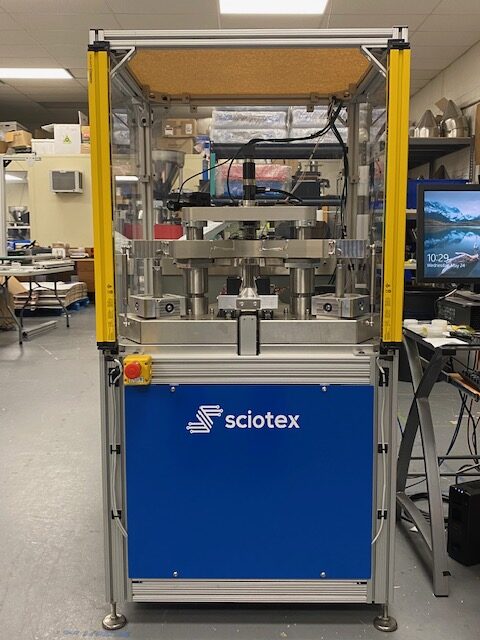
Ring laser gyro test
Over 60 high-speed digital and analog channels screen navigation-grade gyros.
View example →
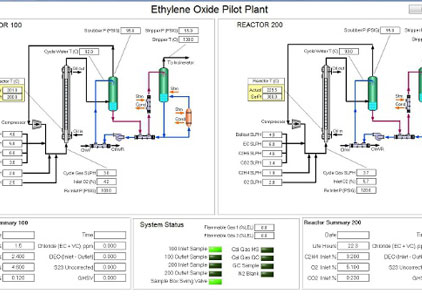
Ethylene oxide pilot plant
SCADA software for an ethylene oxide pilot plant on NI Compact FieldPoint real-time hardware.
View example →

Multiview light sheet microscope
Control software synchronizing scanners, lasers, stages and two cameras.
View example →
PerfectCount counting machine
Image analysis software counting parts from two angles as they fall through a drop zone.
View example →
Robotic inspection cell
Robot, scale, 3D scanner and gauging stations under one inspection program.
View example →
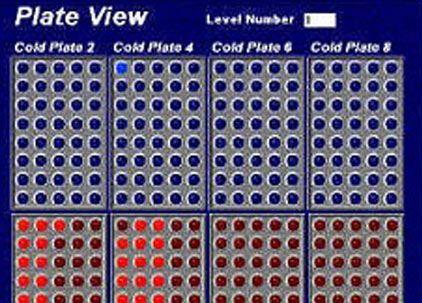
Robotic vial handling
A 3-axis robot moving vials across 1,280 positions for up to 16 experiments at once.
View example →
KEEP LEARNING
Software modernization articles
Refactor vs Rewrite Legacy Industrial Software
How to decide whether to clean up old code or start over.
Read article →
Reverse Engineering Undocumented Industrial Software
Recovering logic, signals and behavior from systems with no documentation.
Read article →
Equipment Obsolescence in Test and Machine Systems
Replacing discontinued PCs, DAQ, motion and PLC hardware.
Read article →
HMI Upgrades: Modernizing Operator Interfaces
When and how to update HMI and SCADA screens.
Read article →
Modernizing Legacy LabVIEW Applications
Upgrading old LabVIEW code, hardware and architecture.
Read article →
Custom vs Off-the-Shelf Manufacturing Software
When an MES, SCADA package or test executive fits, and when custom does.
Read article →
FAQ
Industrial software modernization FAQs
What is industrial software modernization?
Bringing aging software that runs machines, test stations, lab instruments and control systems up to date, making it readable, supportable and compatible with current computers, operating systems and hardware while preserving the behavior production depends on.
How is industrial software modernization different from IT modernization?
IT modernization usually moves business applications to new platforms or the cloud. Industrial modernization deals with software tied to physical equipment, often running in real time, where a mistake can stop a line or ruin a batch, so equivalence testing and planned cutovers matter far more.
When should legacy industrial software be modernized?
When the code is undocumented or understood by only one person, the PCs, operating system or I/O hardware are obsolete, defects keep rising, or new products and features can no longer be added. Planning before a failure is far cheaper than an emergency rebuild.
Can you modernize software with no documentation or source code?
Often, yes. Sciotex reverse engineers undocumented systems by recovering logic from whatever exists, tracing signals and hardware, and recording the system’s behavior to use as test cases for the new software. Missing source code makes the job harder, but not always impossible.
Should we refactor or rewrite legacy industrial software?
Refactor when the logic works and the code is understandable; rewrite when it cannot be safely changed, the platform is a dead end, or the system must do much more. See refactor vs rewrite.
How do you modernize without stopping production?
By building and testing the new system in parallel, using simulation or a spare station, proving it against recorded behavior, and switching over in a planned window with a rollback plan.
Do you modernize PLC and DCS systems?
Yes. Most of the systems Sciotex modernizes are PC-based, including LabVIEW, C#, C++ and Python applications and SCADA and HMI software, but Sciotex also modernizes PLC and DCS-based control systems.
What programming languages do you work in?
LabVIEW, including real-time and FPGA, C#/.NET, C++, Python and SQL Server databases, among others. Sciotex develops in whatever language a system needs.
Running on legacy software?
Sciotex has developed and supported industrial software since 1997, and can often reverse engineer undocumented systems and modernize them in any language. Talk to our industrial software development team about yours.

© Copyright 2026 by Coleman Technologies, Inc. DBA Sciotex