
ENGINEERING GUIDE
Industrial Automation: A Practical Guide to Manufacturing Automation
How control systems, sensors, vision, motion and software automate inspection, counting, test and process work on the factory floor, and how to plan a project that pays back.
Last updated October 2026 · Written by Sciotex Engineering
DEFINITION
What is industrial automation?
Industrial automation is the use of control systems, such as PLCs, industrial PCs and robots, together with sensors, cameras and software, to run production equipment and processes with little or no manual intervention.
Manufacturing automation is industrial automation applied to making products: handling, assembling, inspecting, testing, counting and packing parts so each one is done the same way, at speed, with a record of the result.
The terms overlap. Industrial automation is the umbrella for automated equipment and control anywhere in industry. Manufacturing automation narrows it to making products. Factory automation usually means the discrete-parts side of a plant, and process automation the continuous side, where chemicals, fluids and powders are held at setpoints by control loops.
This guide covers automation the way Sciotex designs and builds it: machine vision and automated inspection, counting and sorting, automated test, data acquisition, process control, and the custom motion and robotics that tie them together. Warehouse logistics and business software automation (RPA) share the word but are different fields, so they appear here only to tell them apart.
HOW IT WORKS
How industrial automation works: sense, decide, act
Every automated station, from a benchtop counter to a pilot plant, runs the same loop: measure something, decide what it means, act on it and keep a record. What changes from project to project is what is measured, how fast the decision must be made and what the action is.
Speed sets most of the design. A process temperature loop may update once a second; a vision system on a fast line may have a few milliseconds per part. Those deadlines decide whether the logic runs on a PLC, an industrial PC or a real-time controller, and how the sensors connect to it. Once the loop is in place, automation does six kinds of work on a line:
Handle and move
Feeders, conveyors, gantries and robots that present each part in the same position every time.
Inspect
Cameras and image analysis that find defects, missing features and wrong parts.
Measure and test
Gauging and electrical or functional test that prove each unit meets its specification.
Count and sort
High-speed counting into bags, boxes and kits, and sorting by type, size or grade.
Control a process
Closed loops that hold temperature, pressure, flow and feed rate at setpoint.
Record and report
Every result logged with time and part data for traceability, SPC and quality records.
COMPONENTS
Industrial automation components: what a system is made of
Strip away the enclosure and almost every industrial automation system is built from the same four groups of parts. Choosing them is less about brands than about speed, accuracy, environment and how the station fits the rest of the plant.
Sensors, cameras and instruments
Proximity and photoelectric sensors, encoders, load cells, thermocouples, pressure and flow transmitters, and machine vision cameras with their lighting and optics. They turn the process into signals, and their accuracy limits everything downstream.
Controllers: PLC, PAC and industrial PC
The PLC (programmable logic controller) runs sequences and interlocks reliably for years. Industrial PCs and real-time controllers take over when the job needs image analysis, high-speed data acquisition or heavy math. Many systems use both.
Actuators, motion and robots
Pneumatic cylinders, solenoids, valves, servo and stepper axes, gantries, cobots and industrial robots. They move, hold, reject and divert parts, and their repeatability decides how precise a station can be.
Software, HMI and data
The operator screens, recipes, alarms, logging and connections to databases, MES and ERP. Software is where custom automation differs most: it decides how easy a system is to run, change and trust.
LEVELS OF AUTOMATION
The automation pyramid: how plant systems connect
Automation is usually drawn as a pyramid of five levels, from field devices at the bottom to business systems at the top. Each level works on its own timescale: milliseconds at the field level, seconds to minutes in supervision, hours to days in MES and ERP.
TYPES
Types of industrial automation: fixed, programmable, flexible and integrated
Engineers group automation by how easily it changes to a new product. The four types trade flexibility against speed and cost per part, and most plants run more than one.
| Type | How it works | Best for | Changing products | Typical examples |
|---|---|---|---|---|
| Fixed (hard) automation | The sequence is built into the machine's mechanics | One product at very high volume for years | Impractical; usually means rebuilding | Transfer lines, dedicated assembly and filling machines |
| Programmable automation | Equipment is reprogrammed and retooled between batches | Batch production at medium volume | Downtime to load a new program and tooling | CNC machines, batch reactors, PLC-sequenced cells |
| Flexible (soft) automation | Switches between product variants with little or no downtime | High mix at medium volume | Fast; a recipe or software change | Robot cells, recipe-driven vision and counting stations |
| Integrated automation | Machines, data and business systems linked under computer control | Whole lines or plants | Managed centrally from MES and ERP | Computer-integrated manufacturing, MES-connected lines |
Swipe the table to see all columns →
Custom inspection, counting and test stations, the kind Sciotex builds, usually sit in the programmable or flexible rows, because one station often has to handle many part numbers. Fixed automation pays when a single product runs at very high volume for years. For a deeper comparison, see fixed vs programmable vs flexible automation.
APPLICATIONS
Where manufacturing automation is used: six core applications
Industrial automation spans car body welding, bottling lines and warehouse picking. These six applications are where Sciotex designs and builds systems, and where custom engineering most often beats a catalog machine.
1Automated inspection and machine vision
Cameras and image analysis check every part for defects, dimensions and correct assembly at line speed. Start with the machine vision guide, or see how automated inspection systems are put together.
2Counting and sorting
Image-based counting machines count parts into bags, boxes and kits faster and more accurately than scales or hand counts, and can sort mixed product. See the automated counting guide.
3Automated test
Test stations apply a stimulus, measure the response and decide pass or fail for electronics, sensors and assemblies. See the automated test equipment guide.
4Data acquisition and monitoring
Sensors, signal conditioning and software that capture fast signals for test, R&D and real-time monitoring. See the data acquisition guide.
5Process control
Closed-loop control and SCADA software for chemical reactors, pilot plants and production processes. See the process control guide.
6Robotics and motion
Robots, gantries and custom motion stages that load, present and move parts and samples, often paired with vision for guidance and inspection. See a robotic vial handling example, and where industrial AI adds to these systems.
CUSTOM OR STANDARD?
Off-the-shelf or custom automation: how to decide
The first decision in most projects is whether a standard machine already does the job. Standard equipment is cheaper to buy and easier to support; custom automation is built around a process that standard machines cannot handle well.
Go custom when…
- No standard machine handles your part: odd shapes, fragile or mixed parts, or very high speeds
- The station must fit an existing line, conveyor or footprint
- Inspection, counting and test need to happen in one cell
- Results must flow to your database, MES or quality records in a set format
- A catalog machine would need heavy rework to do the job
Buy standard when…
The job is common and well defined: a standard label check, a single-size filler, a catalog pick-and-place. Proven standard equipment costs less to buy and support, and a good integrator will tell you when it is the better answer. Many projects land in between: a standard machine with custom fixtures, software or data connections, such as a PerfectCount counting machine configured for a customer’s parts. More on this in custom automation equipment vs off-the-shelf machines.
PLANNING
How to plan an industrial automation project
Automation projects that disappoint usually go wrong in the requirements, not the engineering. A phased approach, with real parts tested early, keeps risk low and makes the cost and payback clear before the build starts. Read more on choosing what to automate first.
1. Pick the target
Start where the pain is measurable: a bottleneck, a quality escape or a costly manual step.
2. Define requirements
Rate, accuracy, part variety, footprint, safety, data and acceptance criteria, written down before design.
3. Prove it on real parts
Test with production samples. For inspection projects, Sciotex tests customers' sample parts free of charge to confirm the configuration.
4. Design and build
Mechanical, electrical and software design, fabrication and integration, reviewed in phases.
5. FAT, SAT and commissioning
Factory acceptance test before shipping, site acceptance test on your line, then operator training.
6. Support and improve
New part numbers, upgrades and tuning as needs change, with no subscription or support contract required.
BUSINESS CASE
Automation ROI: how manufacturing automation pays back
Automation pays back through four kinds of savings: labor and overtime, scrap and rework, quality escapes that reach the customer, and extra throughput from a station that no longer limits the line. The formula is simple; the work is in measuring today’s numbers honestly.
Worked example. A manual counting and inspection step is staffed by one operator on each of two 8-hour shifts, 21 working days a month: 2 × 8 × 21 = 336 hours. At a loaded labor cost of $25 an hour, that is 336 × $25 = $8,400 a month, before scrap, rework or escapes. Divide the installed cost of a replacement station by that monthly figure to get payback in months.
On Sciotex projects, payback can be a few weeks on counting machines and 7–12 months on vision systems. For where the best returns usually are, see the automation sub-systems with the highest ROI.
REAL-WORLD EXAMPLES
Industrial automation systems we have built
These are Sciotex systems across inspection, counting, robotics, test and process control. Each started as a specific manufacturing or lab problem without an off-the-shelf answer.
Robotic inspection cell
A robot presents small, high-tolerance parts to cameras for surface defect classification and precise metrology.
View system →
PerfectCount counting machine
Parts pour from a hopper through a drop zone and are counted from two angles. Three standard sizes plus custom builds.
View system →
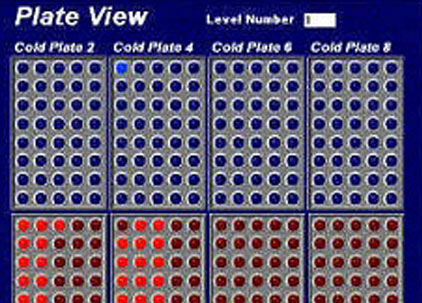
Robotic vial handling
A 3-axis robot moves vials between hot and cold plates across 1,280 positions, running up to 16 experiments at once.
View example →
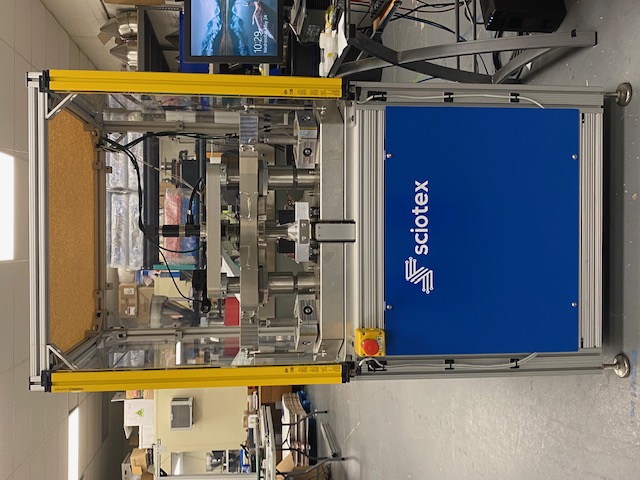
Ring laser gyro test
Over 60 high-speed digital and analog channels screen navigation-grade gyros.
View example →
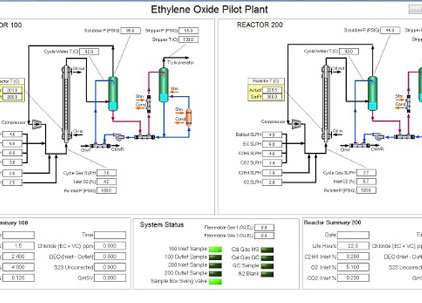
Ethylene oxide pilot plant
SCADA software for an ethylene oxide pilot plant, running on NI Compact FieldPoint real-time hardware.
View example →
Pallet inspection
Image analysis checks pallets and loads for damage and stacking problems before they move.
View system →
KEEP LEARNING
Manufacturing automation articles
Top 10 US Manufacturing Companies Leading the Automation Revolution
Ten US manufacturers that built automation into their operations, and what it changed.
Read article →
12 Things to Research When Choosing an Automation Company
What to check before hiring an integrator: experience, process, support and fit.
Read article →
Maximizing ROI: Top 5 Manufacturing Automation Sub-Systems
The automation sub-systems that most often deliver the best return.
Read article →
Identifying the Best Automation Targets
How to decide what to automate first in a manufacturing operation.
Read article →
Automated Part Inspection: Methods, Systems and Sorting
Inspection methods, small vs large parts, and turning pass/fail into sorting and counting.
Read article →
Manufacturing AI: How to Use AI in Manufacturing
Where AI fits alongside conventional automation on the factory floor.
Read article →
Industrial Automation Consulting: How to Hire a Consultant
What a consultant does, when to hire one, how engagements are priced, and how to spot a sales pitch.
Read article →
FAQ
Industrial automation FAQs
What is industrial automation?
Industrial automation is the use of control systems such as PLCs, industrial PCs and robots, together with sensors, cameras and software, to run production equipment and processes with little or no manual intervention. It covers handling, inspection, test, counting, data acquisition and process control.
What is the difference between industrial automation and manufacturing automation?
Industrial automation is the broad term for automation in any industry, including continuous processes such as chemicals and utilities. Manufacturing automation is the part applied to making products: handling, assembling, inspecting, testing, counting and packing parts. In practice the terms are often used interchangeably.
What are the 4 types of industrial automation?
Fixed automation (dedicated equipment for one product at very high volume), programmable automation (equipment reprogrammed between batches), flexible automation (equipment that switches products with little or no downtime) and integrated automation (machines, data and business systems linked under computer control).
What are the main components of an industrial automation system?
Sensors and cameras that measure the process; controllers such as PLCs and industrial PCs that decide; actuators, motion systems and robots that act; and software, including HMI screens, data logging and connections to MES or ERP, that lets people run the system and use its data.
What does PLC stand for in industrial automation?
PLC stands for programmable logic controller: a rugged industrial computer that reads inputs, runs a control program and drives outputs in a repeating scan cycle. PLCs handle most machine sequencing and interlocks; industrial PCs are added when a job needs image analysis or heavy data processing.
How is AI shaping industrial automation?
AI is moving automation into tasks that used to need a person’s judgment, mainly inspecting variable parts, finding cosmetic defects and counting touching or overlapping items. It works alongside conventional controls rather than replacing them. The industrial AI guide covers where it helps and where rule-based methods are still better.
Can existing equipment be automated without replacing it?
Often, yes. Many projects add inspection, counting, data collection or new controls to an existing machine or line instead of replacing it. The limits are space, access to the parts and signals, and the condition of the existing equipment, which a site review establishes early.
How do I choose an industrial automation company?
Look for engineering depth in your application, real systems built for similar problems, a phased process that tests your parts early, and support after installation. Sciotex is an industrial automation company that has designed, built and supported custom systems since 1997.
Planning an automation project?
Sciotex has designed, programmed and supported custom automation since 1997, from single inspection stations to complete test and process control systems. As an industrial automation company, we start by helping you decide what to automate first.